Codenora
A Powerful Lightweight IDE for Beginners
A unique platform to code many programs under a single environment, starting from C, C++, Java, Python to HTML, CSS, JavaScript and XML.
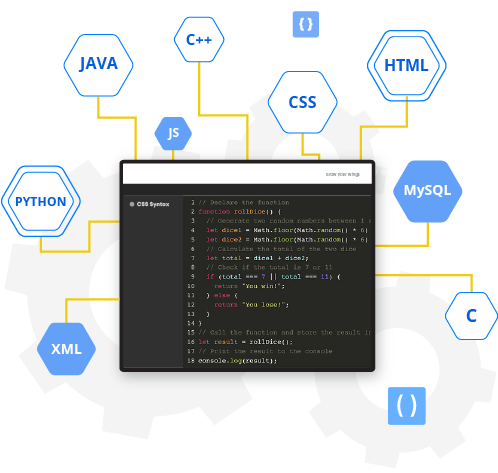
A unique platform to code many programs under a single environment, starting from C, C++, Java, Python to HTML, CSS, JavaScript and XML.
Codenora, formerly known as JCppEdit, is a free as well as "A Powerful Lightweight IDE for Beginners" that has been redesigned to meet all your coding needs. Whether you need to finish your Java project or submit your first HTML web page, or perhaps have a need to code in C language while executing a Java program in a Java IDE, Codenora will help you achieve your goals easily.
Exploring your project and detecting an error in your code is much easier. You will not waste time detecting errors before compiling code because you will get a real-time notification whenever you make any mistake in your C, C++, and Java code.
You can also create multiple projects, delete, rename, cut, and copy multiple files and folders in your project folder using the project explorer. The programming languages that can be compiled and executed include: C, C++, Java, Python, C graphics, HTML, CSS, JavaScript, and XML.
If you are looking for a hassle-free coding experience, then Codenora is the best option for you. The smooth interface and lightning speed of the IDE will immerse you in the world of programming languages. Its innovative design and fluid interface make learning simple and help you to do more work in less time.

One platform for different types of coding. You can code in C, C++, Java, Python, HTML, CSS, JavaScript and XML.

Compiles your C, C++ and Java programs and helps you to identify programming errors in real-time.

Autocomplete helps you to code faster by providing you with word suggestions while typing.

It saves your task automatically, thus helps you to recover your file from unexpected system failure.

Codenora contains all the IDE tools that will boost your code learning. Its' unique design, powerful IDE tools, and navigable interface makes it the most appealing and user-friendly IDE for beginners and intermediates users. With Codenora, you can experience the fast and responsive coding you always wanted.